
FaceFind: find your photos from any event with one selfie
FaceFind lets event guests find their own photos with one selfie: paste a Google Drive link, share a QR code, and guests view and download with no app.
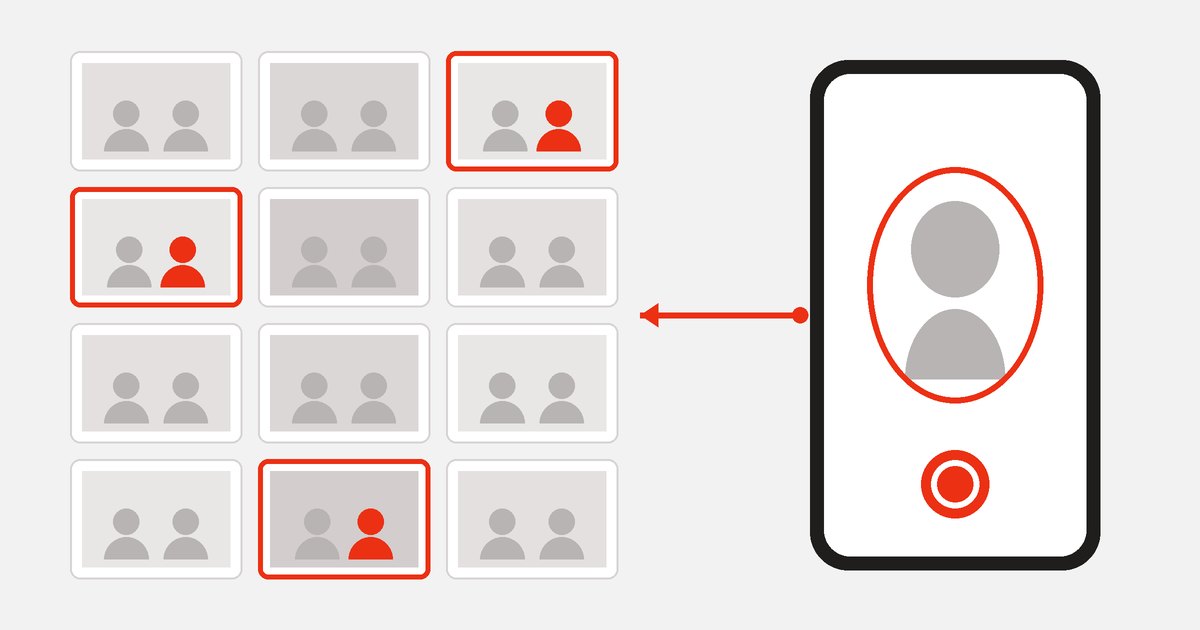
After a conference or a wedding, organizers usually send guests a Google Drive link holding thousands of photos. Guests scroll for a few pages and give up, and the organizer's inbox fills with messages asking "are there any of me?". FaceFind, a new product from Cross Tech Edu, solves exactly that: a guest takes one selfie and immediately sees the photos they appear in.
FaceFind is in its pilot stage, and we are looking for event organizers who want to try it with us.
How does FaceFind work?
Organizers have three things to do:
- Paste a Google Drive folder link with the event photos, shared so that anyone with the link can view it. Subfolders are included.
- Let the system scan the faces. Progress shows on the admin page.
- Share a QR code on a standee, the main screen or the event's group chat.
Guests have even less to do: scan the QR code, tick the consent box, take a selfie and see the results. Each photo has download and share buttons. There is no app to install and no account to create, because everything runs in the phone's browser.
Can guests find photos that were just taken?
Yes, after a short delay. Photographers keep uploading to Drive as usual, while FaceFind checks the folder on a schedule, every 5 minutes by default, and processes only the new photos. Guests can search while the event is still running and come back a few minutes later for more.
What can organizers control?
- Event code: for private events, only people with the code can search.
- Branding: the search page shows the event name, logo and the organizer's color.
- Data retention: from 1 to 365 days, 30 days by default.
- Numbers: faces detected, searches made and searches that found a result.
How is face data handled?
This is the most important question for a product like this, so here is a specific answer.
Not stored: photos from Drive and guests' selfies are only read into memory for processing and are never written to disk. The originals stay in your Google Drive, and search results link straight back to them.
Stored: each face in the event photos is converted into a 512-dimension vector, a list of numbers used for matching. The vector is kept until the event expires, when it is deleted automatically, or until the organizer deletes the event.
Even as numbers, this data comes from real people's faces and should be treated as sensitive. Guests must tick a consent box before searching, but people who only appear in the photos have not done anything yet. Organizers should tell attendees in advance, in the invitation or at the check-in desk. Our guide to customer consent under Vietnam's data protection law explains how.
How accurate is FaceFind?
FaceFind uses YuNet to detect faces and AuraFace-v1 to compare them, under the MIT and Apache-2.0 licenses respectively. In our own test on the standard LFW dataset, at a match threshold of 0.30, the system correctly matched 97.6% of same-person pairs and did not falsely match any different-person pair.
That figure does not mean every photo will be found. Real event photos are much harder than portraits: backlighting, side angles, people far from the camera, face masks. If results are missing, guests should retake the selfie somewhere bright and look straight at the camera.
What are the limits of the pilot?
- The Drive folder must be viewable by anyone with the link, so it does not suit albums that have to stay fully private.
- The system does not yet check that the selfie comes from a live person, so anyone with a photo of you could use it to search. For private events, set an event code.
- There is no self-service sign-up yet. For now, Cross Tech Edu sets up each event with the organizer.
Which events is FaceFind for?
Conferences, product launches, company retreats, weddings, graduations and fun runs: any event with lots of photos, lots of guests, and people who want their pictures soon.
See the details on the FaceFind product page (in Vietnamese). If you have an event coming up, tell us the type of event, the date and roughly how many photos to expect, and we will set up a pilot with you.